Showing posts with label apps. Show all posts
Showing posts with label apps. Show all posts
Thursday, 29 December 2016
How To Take Screenshot on Moto G4 Plus Without Using Apps
How To Take Screenshot on Moto G4 Plus Without Using Apps
Generally, what we do is we take a screenshot or snapshot and share using WhatsApp, Hike, Telegram, etc. So, taking a screenshot on Moto G4 Plus is much easier using a special key combination. To take a snapshot on Moto G4 Plus, you don’t need to have an extra app which eats up your device valuable storage.
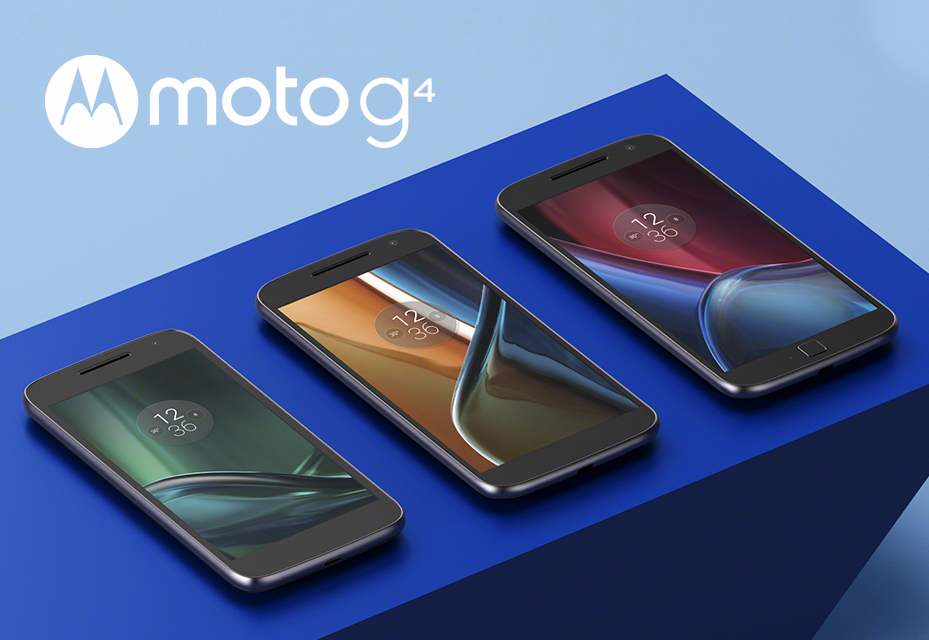
you can take screenshot at any time such as in between playing games, watching videos, listening music or while loading web pages. It’s much easier to take a snapshot on Moto G4 Plus without closing any of the running apps. In fact, there are many apps available in the market which can easily take a screenshot on Moto G4 Plus, but the problem is they requires root access and this is the reason, to avoid the apps. So, in this article we will be helping to take a snapshot on Moto G4 Plus without any hassle.
you can take screenshot at any time such as in between playing games, watching videos, listening music or while loading web pages. It’s much easier to take a snapshot on Moto G4 Plus without closing any of the running apps. In fact, there are many apps available in the market which can easily take a screenshot on Moto G4 Plus, but the problem is they requires root access and this is the reason, to avoid the apps. So, in this article we will be helping to take a snapshot on Moto G4 Plus without any hassle.
How To Take Screenshot on Moto G4 Plus Without Using Apps
- Get your screen ready of which you want to take a screenshot / snapshot of!
- Now, simultaneously hold Power Button and Volume Down button for 2 – 3 seconds.
- Immediately, you will have a preview of a screenshot and a new notification will be seen in your status bar.
- In the notification, it will say that the “Screenshot Captured”.
So, this is how you can take screenshot on Moto G4 Plus without using apps. In order to view the captured screenshot, pull down from the status bar and tap on notification. If you have cleared the notification, then go to Gallery and see the Screenshots folder to find all your captured screenshots in your device.
Available link for download

Wednesday, 7 December 2016
BEST APPS TO ROOT ANDROID SMART PHONES
BEST APPS TO ROOT ANDROID SMART PHONES

Note
When you root your device the warranty is void.
No data is lost after using any of this method
Framaroot
Framaroot is a powerful one click app to root android smart phones without PC. This app has many exploits to root different types of phones (Gandalf, Boromir, Pippin, Legolas, Sam, Frodo, Aragorn and Gimli). It installs Superuser & SU binary on the phone or tablet.
To use this;- Download Framaroot here
- Install & run the app on your smart phone or tablet.
- Select any of the exploits that shows ( Boromir, Pippin, Legolas, etc) depending on your device.
- You will see a Success message.
- Reboot Device

If you want to see a complete list of device that uses framaroot click here
framaroot is developed by
iROOT

iROOT formally known as vRoot is another powerful application to root most Android Smart phones.
To use this application follow the procedure below
- Download iROOT from here or here
- Install and launch it on your PC
- Set your Phone or Tablet to USB debugging mode by going to Settings > Developer Options > Debugging > USB debugging
- Connect your device to the PC
- iROOT will detect your phone, Click the ROOT button.
- Your device will reboot during the process.
- You will see a success message
- To check if your phone is rooted, open application menu and check if you have SuperUser or KingUser installed
- If you dont like the Chinese Super User, you can download an install Supersu from here
- reboot the device & enjoy.
This app is really great. It roots many devices not just Chinese MTK devices. Most Samsung Galaxy Devices can be rootedvusing this method.
iRoot is developed by Shenzhen
Root Genius

Root Genius is another application to root most Android Smart phones using PC.
To use this aplication follow the procedure below
- Download Root Genius from here or here
- Install and launch it on your PC
- Set your Phone or Tablet to USB debugging mode by going to Settings > Developer Options > Debugging > USB debugging
- Connect your device to the PC
- Root Genius will detect your phone, Click the Root It button
- Root Genius will root your phone and install kingUser app
- To check if your phone is rooted open apllication menu and check if you have KingUser installed.
- If you want to unroot, open KingUser - Settings - Remove Root Permission.
Root Genius is Developed by SJRoot
You can also verify if your device is rooted by using Root Checker
Other methods of rooting android smart phones will be dropped soon..
You can always make a request ;)
Available link for download
Friday, 2 December 2016
Tuesday, 29 November 2016
Download LG G5 Apps on LG G4 G3 and AOSP Marshmallow ROMs
Download LG G5 Apps on LG G4 G3 and AOSP Marshmallow ROMs
The G5 is the LG’s hot-piece for the year 2016 that would dominate the headlines. It’s widely anticipated device, and as such we thought you might find it cool to download the apps LG packed in with the G5, so here they are.

How To Install G5 Apps on LG G4, G3 and AOSP Marshmallow ROMs
This is for stock Android ROMs. Hence, this should work coolly on Nexus (and Motorola perhaps) devices running Android 6.0, and other devices running AOSP ROMs like CM13.
- LG Alarm Clock
- LG Calculator
- LG Calendar
- LG Contacts
- LG Dialer
- LG Email
- LG File Manager
- LG Gallery
- LG Music
- LG Music Widget
- LG QRemote
- LG Video
- LG Voice Recorder
? Download Link
Extract the zip file. You will get an APK file
Enjoy LG G5 Apps on your phone
How To Install G5 Launcher on LG G4, G3 and AOSP Marshmallow ROMs
This is LG G5 launcher, modded to work for LG G3. Uh, LG G3 only for now, so don’t try this on any other LG or other OEM’s device for now. We’re sure one for LG G4 and other popular LG sets will be available soon.
? Download Link
If you want to install the G3’s launcher back, find it here.
How to Install: Download the above file and install it using TWRP recovery. [Guide here]
Enjoy!
Available link for download
Saturday, 12 November 2016
Android 4 3 contaría con sincronización de datos de apps en la nube
Android 4 3 contaría con sincronización de datos de apps en la nube

Recientemente cuando les escribí sobre la existencia de Google Games Center (Casi confirmada para este momento) todo apuntaba a que Google comenzaría a apostar enserio por la sincronización con la nube. El día de hoy con la ultima actualizacion de Google Play Services, apareció una función (actualmente inactiva) llamada "Datos de aplicacion" que apunta a una total integración de datos de aplicaciones en la nube.
Así mismo, podemos pensar que todo apunta a que irán mas allá de la integración de los juegos como se presume y aprovechar todo el potencial que ofrece tal integración, ademas en Google Play Services también apareció una función llamada "Información sobre las personas", en donde algunos blogs en español especulan seria una mejora en la sincronización de los contactos que tengamos almacenados con Gmail (Deberían ser todos).
Solo nos resta esperar menos de 48 horas para conocer que tanto de lo que se ha especulado sobre el Google I/O sea cierto y que nos dejara con las ganas de seguir soñando, ¿Ansiosos? Nosotros igual.
Sigue aquí todo lo relacionado con el evento - Google I/O
Available link for download
Wednesday, 9 November 2016
Freemyapps Gana Gitf Card tarjetas de regalo de google play tan solo instalando apps y compartiendo
Freemyapps Gana Gitf Card tarjetas de regalo de google play tan solo instalando apps y compartiendo
.jpg)
Gana premios como gift card, tarjetas de regalo de google play y demas con tan solo instalar apps y compartir. Si, haz leido bien, esta es una aplicacion que cada cierto tiempo te recomienda una app, la cual al descagar y abrir te otorga creditos que luego podras canjearlos por los premios mencionados al principio.
.jpg)
Cada aplicacion recomendada que instales te concedera una cantidad especifica de creditos como puedes ver en la imagen. Lo bueno es que no tendras que usarla de por vida, con tan solo descargarla y abrirla una sola vez ya obtendras los creditos correspondientes sin importar que mas adelante la desintales. Esta no es la unica forma de ganar creditos, como mencione en un principio, compartiendo freemyapps a tus amigos, familiares y conocidos tambien ganaras creditos.
.jpg)
Como puedes ver en la imagen, 200 creditos cada vez que alguien a quien la hayas compartido la instale en su dispositivo Android o IOS. Suena muy bueno para ser cierto ¿verdad? Freemyapps nos explica ¿Como funciona? ¿Como lo hacen? ¿De donde sacan el dinero que nos dan en premios?
Como habras podido leer, los patrocinadores le pagan por recomendar sus apps y ellos te dan un poco de ese dinero en creditos que luego puedes cambiar por premios, una especie de Ganar = Ganar.
Aca les dejo el enlace de la app a Google Play y mi enlace (tambien dirijido a Google Play) de descarga por si quieres ayudarme a ganar creditos :) Gracias de antemano.
FreemyApps / Google Play

Available link for download
Monday, 31 October 2016
Android Studio nueva IDE para desarrollar Apps en Android
Android Studio nueva IDE para desarrollar Apps en Android

Hoy en el primer día de el Google I/O la compañía anuncio Android Studio, una nueva IDE para desarrollar Apps.
Esta plataforma es basada en IntelliJ IDEA, un IDE para Java de Jetbrains, lo que hace que tenga un buen precedente.
Entre los puntos fuertes de esta plataforma es que permite realizar cambios, y ver preview de los cambios hechos en tiempo real, al tener disponible una gran cantidad de emuladores, asi si el desarrollador no tiene el dispositivo a mano, puede asegurarse que funcione bien en las plataformas a las que se dirige la App.
Esta prometedora IDE desarrollada por Google esperar facilitar y aumentar la productividad de los desarrolladores, aunque todavia se encuentra en frases previas, esperamos el rapido desarrollo de esta plataforma
Available link for download
Monday, 5 September 2016
GUIDE MOD 4 3 How to add Blur background to your Recent Apps Notification Panel
GUIDE MOD 4 3 How to add Blur background to your Recent Apps Notification Panel
One line - One blur background
I will guide you to add blur background to recent apps panel, but you can add to any layout you want.
I will guide you to add blur background to recent apps panel, but you can add to any layout you want.
Requirements
- Apktool 2.0
- SystemUI.apk (or any other app you want)
- Notepad++ for editting
- Brain.apk installed :D
- First, decompile your SystemUI.apk
- Download and extract simon_blur_background.zip (5.1 KB) then merge the smali folder to your decompiled folder.
- Open http://ift.tt/2aCxT4J
- Now find this method:
Code:
# direct methods
.method static constructor <clinit>()V Code:
    const/16 v0, 0x320

     sput v0, Lcom/simonoid/blur/BlurImageView;->HIGH:I

     const/16 v0, 0x1e0

sput v0, Lcom/simonoid/blur/BlurImageView;->WIDHT:I 320 is the height
1e0 is the width
You can click HERE to convert decimal to hexadecimal number.
Or you can use some presets:
Code:
Decimal = Hexadecimal
480 = 1e0
540 = 21c
800 = 320
960 = 3c0
1080 = 438
1920 = 780 - Now go to the layout you want to add blur background, for example: http://ift.tt/1mYP9yy (for Recent Apps panel). Add the blue code:
Code:
<?xml version="1.0" encoding="utf-8"?>
 <com.android.systemui.recent.RecentsPanelView android_id="@id/recents_root" android_background="@color/recents_background" android_layout_width="fill_parent" android_layout_height="fill_parent" systemui_recentItemLayout="@layout/status_bar_recent_item"
   http://ift.tt/1jD6tMP;
     <com.simonoid.blur.BlurImageView android_id="@id/backgroundImageView" android_layout_width="fill_parent" android_layout_height="fill_parent" android_scaleType="centerCrop" />
     <FrameLayout android_id="@id/recents_bg_protect" android_clipChildren="false" android_clipToPadding="false" android_layout_width="fill_parent" android_layout_height="fill_parent" android_layout_alignParentBottom="true">
         <com.android.systemui.recent.NokiaRecentsHorizontalScrollView android_id="@id/recents_container" android_fitsSystemWindows="true" android_scrollbars="none" android_fadingEdgeLength="0.0dip" android_layout_width="fill_parent" android_layout_height="fill_parent" android_layoutDirection="ltr">
             <LinearLayout android_orientation="horizontal" android_id="@id/recents_linear_layout" android_layout_width="fill_parent" android_layout_height="fill_parent" />
         </com.android.systemui.recent.NokiaRecentsHorizontalScrollView>
     </FrameLayout>
     <include android_id="@id/recents_no_apps" android_visibility="invisible" android_layout_width="fill_parent" android_layout_height="fill_parent" layout="@layout/status_bar_no_recent_apps" />
 </com.android.systemui.recent.RecentsPanelView>
- Finally hit the Thanks :good: button and tell me if it works. :o
- If youre encountering any errors then post here (with log) so that I could help
NOTE: If youre going to add blur background in somewhere in http://ift.tt/2aCxBLp and you dont know where to put the smali. Just put it in framework.jar :fingers-crossed:
from xda-developers http://ift.tt/2aCxXBK
via IFTTT
Available link for download
Subscribe to:
Posts (Atom)